In short
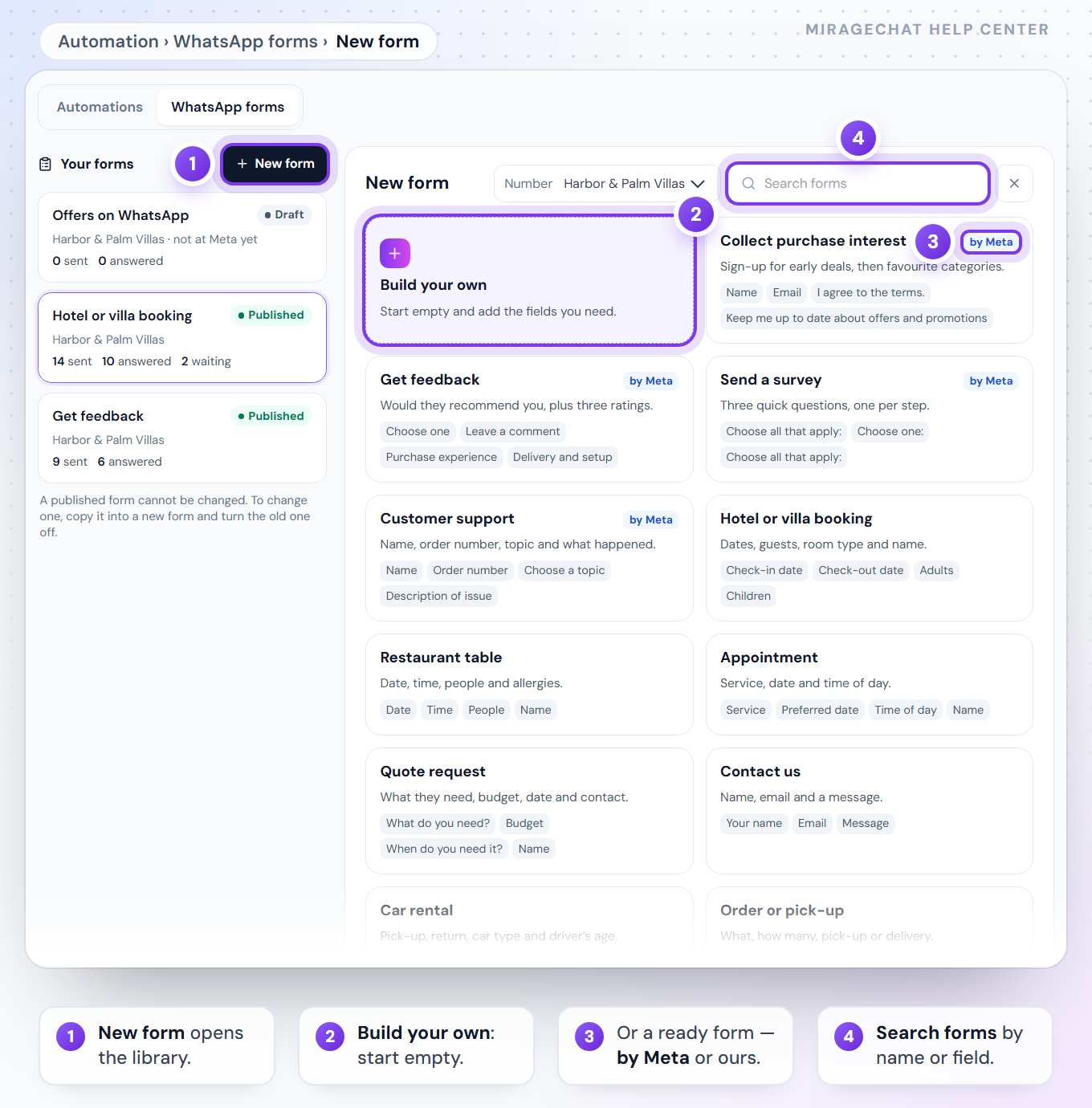
A WhatsApp form opens inside the chat: dates, guests, a name, a choice — filled in without leaving WhatsApp. Start from a ready form — Meta’s own templates, and ours for bookings, tables, appointments, quotes and offers — or build your own. The ready forms come in the language of your WhatsApp number’s country when the library has it, otherwise in English. Publish it at Meta, then send it from a conversation, or let an automation send it and wait for the answer. The answers come back into the conversation, and each form keeps a log: who it went to, who sent it, and what they answered.
Works on
What it includes
- Meta’s four templates — Collect purchase interest, Get feedback, Send a survey, Customer support — marked «by Meta»
- Nine of ours: hotel or villa booking, restaurant table, appointment, quote request, contact us, car rental, order or pick-up, event registration, offers on WhatsApp
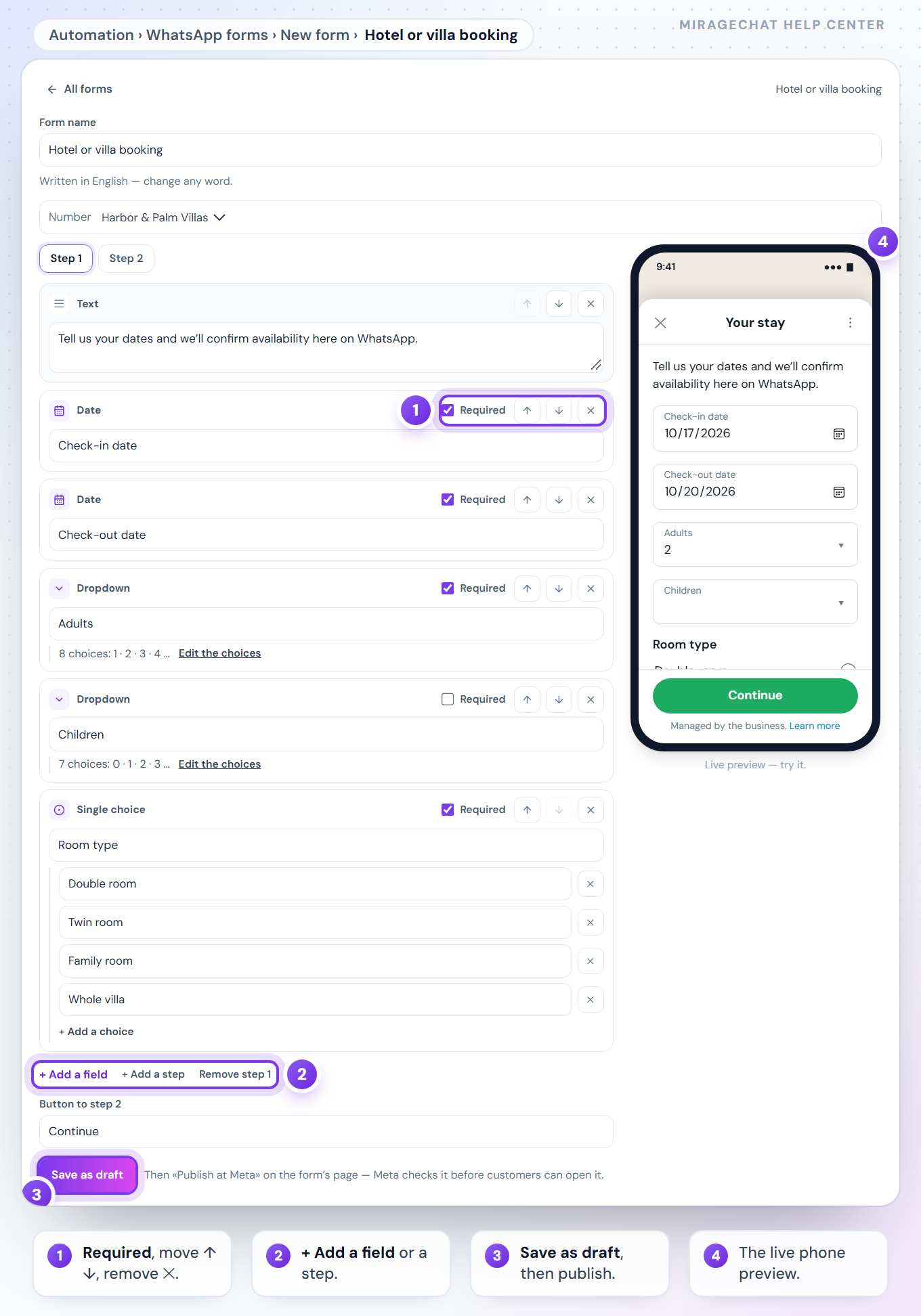
- Build your own: short and long text, email, phone, number, date, a dropdown, single or multiple choice, a consent checkbox and plain text
- Written in the language of your WhatsApp number’s country when the library has it, otherwise in English — every word can be changed
- A short editor with the form live on a phone beside it — try it as your customer will
- Up to five steps; WhatsApp’s limits counted as you type, with the reason when a text is too long
- Save as a draft, publish at Meta, preview it, and turn it off when you no longer need it
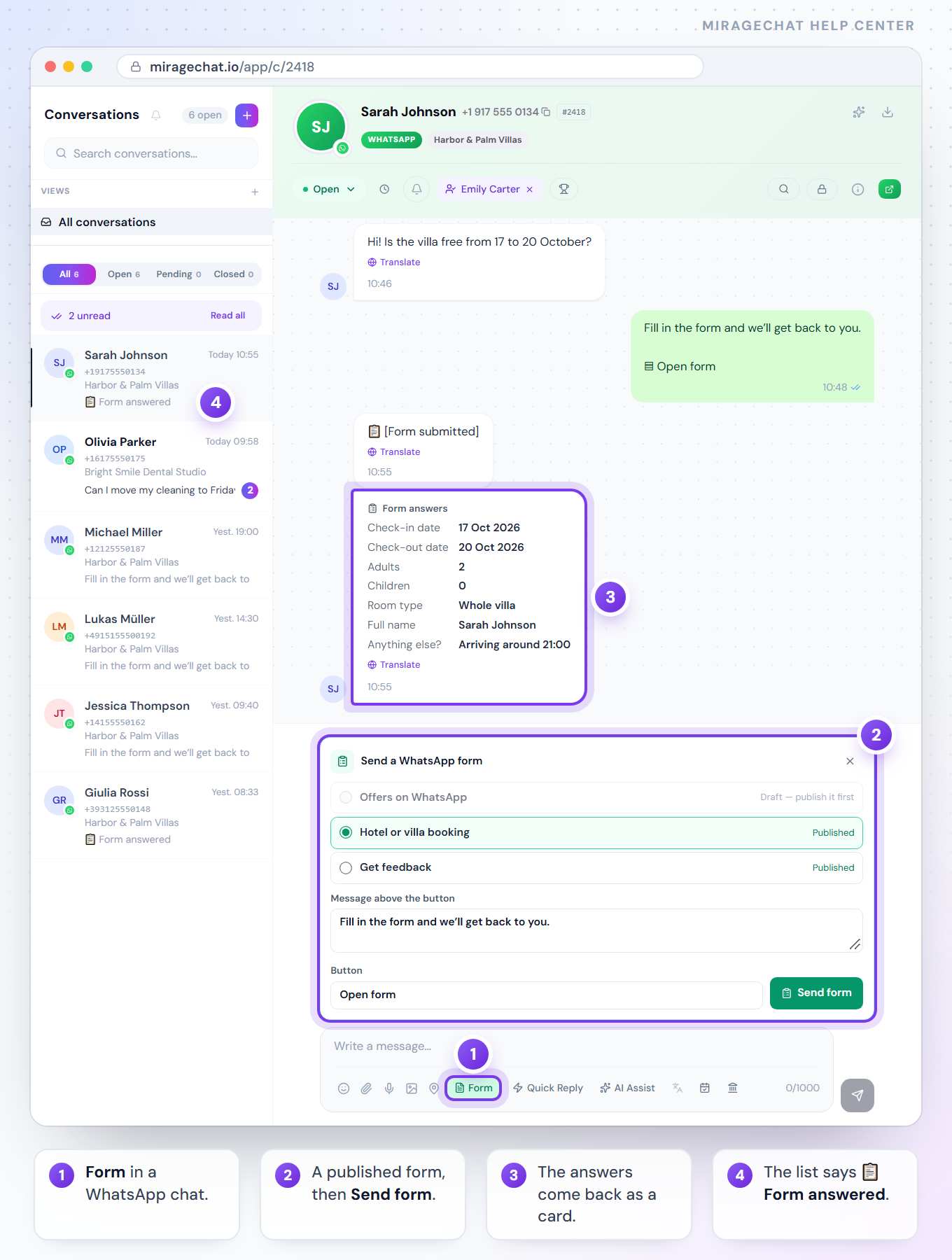
- Send it from a WhatsApp conversation with «Form», or from an automation that waits for the answer
- The answers in the conversation as a card, under the form’s own labels — and «Form answered» in the list
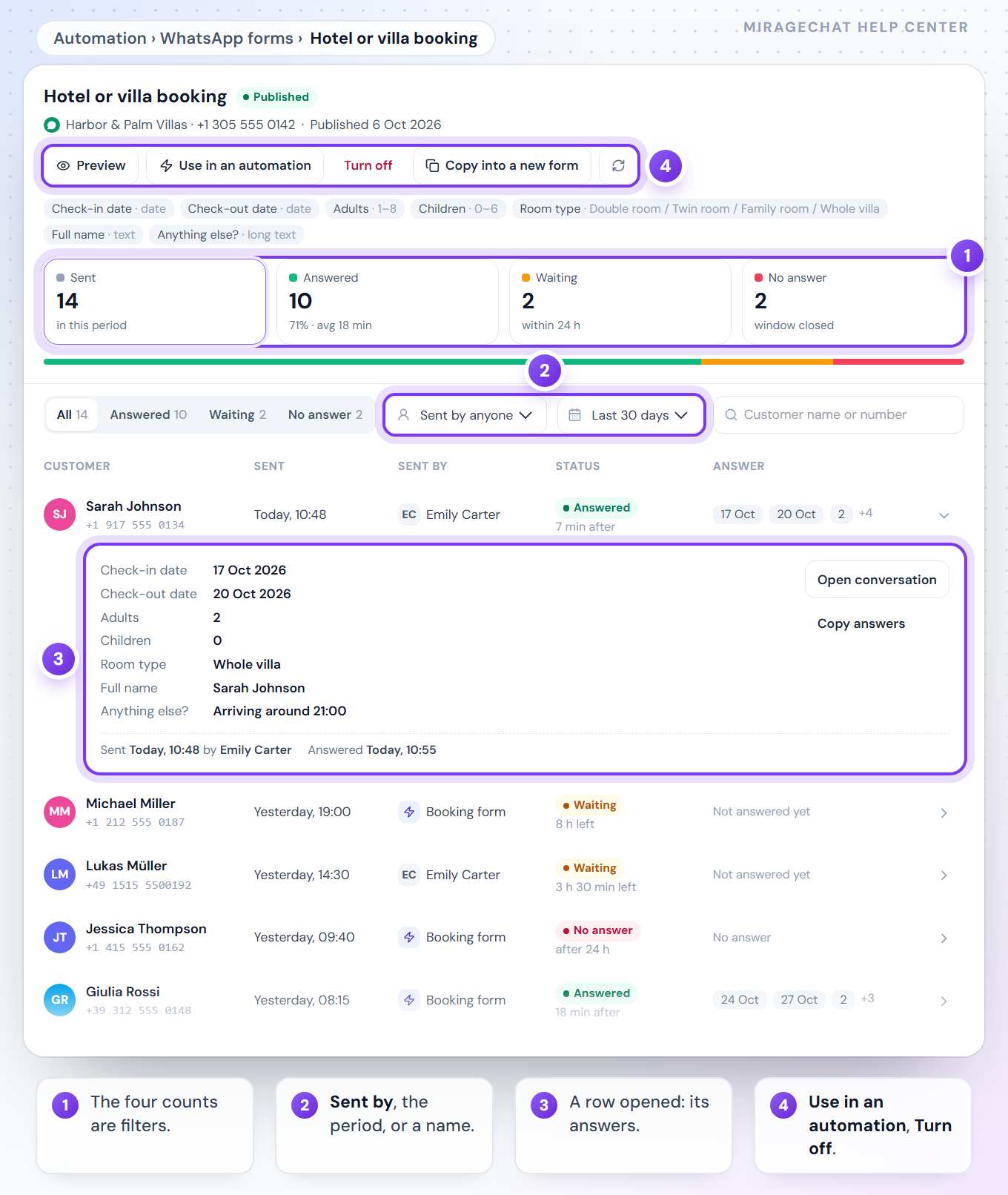
- Each form’s log: sent, answered, waiting and no answer — who sent it, when, and what the customer wrote
- Filter the log by status, by who sent it and by period, or search a customer’s name or number
- «Offers on WhatsApp»: a client who ticks the consent box shows as Subscribed in Customers, with the form and the day as proof
- In the phone app too: the library and its editor, «Send form», the answers and each form’s log — «Build your own» and publishing at Meta on the web
See it
How it works
Open Automation › WhatsApp forms and press New form.
Pick a ready form or build your own, change the words, save it — then publish it at Meta.
Send it from a WhatsApp conversation or from an automation. The answers come back into the chat and the form’s log.
Where to find it
Menu › Automation › WhatsApp forms · Inbox › Form, in a WhatsApp conversation
Plans
WhatsApp forms are included in every paid plan; «Send a WhatsApp form» is a step of the visual builder. Owners and admins make and send forms. See pricing.
Questions
Does the customer have to leave WhatsApp?
No. The form opens inside the chat on the customer’s phone, and the answers come back to the same conversation.
Can I change a form after it is published?
No — Meta does not allow changing a published form. Press «Copy into a new form», change the copy, publish it and turn the old one off. A draft can be edited as often as you like.
When can a form be sent?
Within 24 hours of the customer’s last message — WhatsApp’s rule. After that the «Form» button in the conversation is grey, and says why.
What if the customer never fills it in?
A form waits 24 hours for its answer; after that the form’s log shows it as «No answer». In an automation, «No answer» runs after the time you choose, from 1 to 24 hours.
Which language are the ready forms in?
The language of your WhatsApp number’s country when the library has it, otherwise English — chosen from the number, never a setting. Every label, choice and button can be rewritten before you save.
Who can make and send forms?
The workspace owner and admins.
Step by step
Try WhatsApp forms free for 14 days
No credit card, then Free. Connect one channel and invite one colleague.
Checked against the live product on 8 October 2026. What each connected account can do is shown on the Channels screen of your workspace.