In short
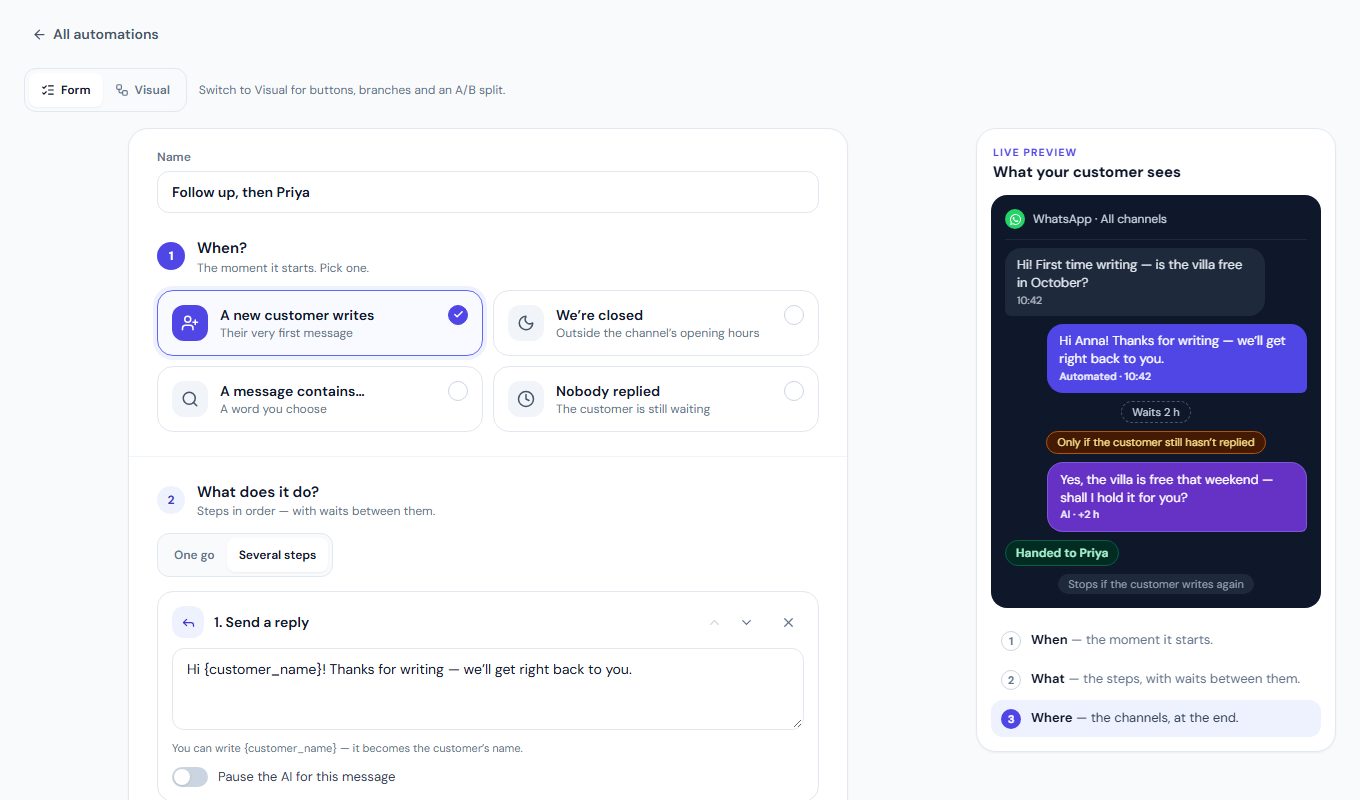
Each automation answers three questions: When? What does it do? Where should it run? Do it all at once, or in several steps — wait, let the AI answer, check a condition, hand the client to a teammate. Build it in a form, or draw it on the visual canvas with buttons and branches. Away replies live here too.
Which channels can automations run on?
What can MirageCHAT automations do?
- When: a new customer writes, you are closed, a message contains one of your words, nobody replied, someone comments on a post
- Any of these words: one automation listens for several words — at the start of a word, in any case and with or without accents
- What: reply, tag, change the status, email me, mark as VIP
- Where: the exact accounts
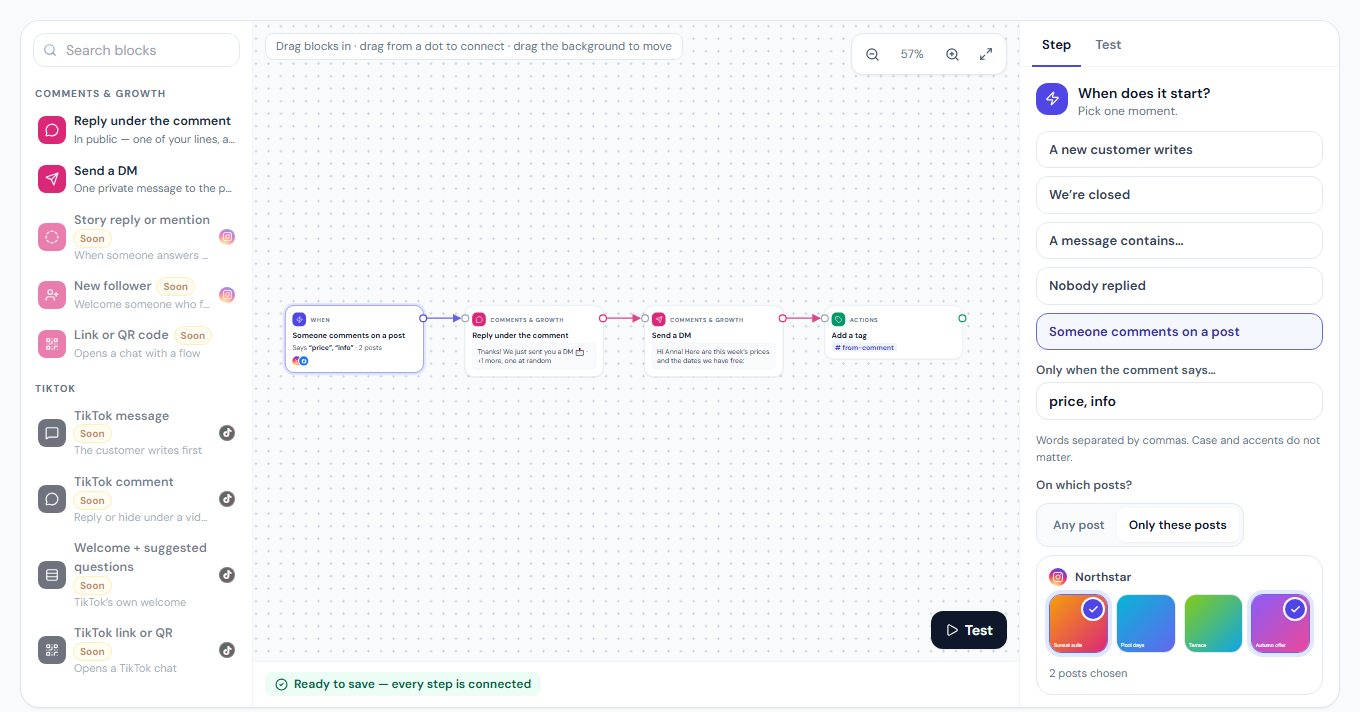
- Comment → DM: a reply under the comment and one DM, by word and by post — Instagram and Facebook Pages
- Comments on TikTok videos too: reply under the comment, like it or hide it
- Hide the comment — spam and insults, by word — on Instagram, Facebook Pages and TikTok
- Several steps: wait up to 7 days, the AI answers, only if…, hand to the team
- Stops by itself when the client writes again, a teammate takes over or the conversation is closed
- After 24 hours WhatsApp sends only an approved template; Instagram and Messenger stop
- At most once an hour or once a day per client
- Away replies for the hours you are closed
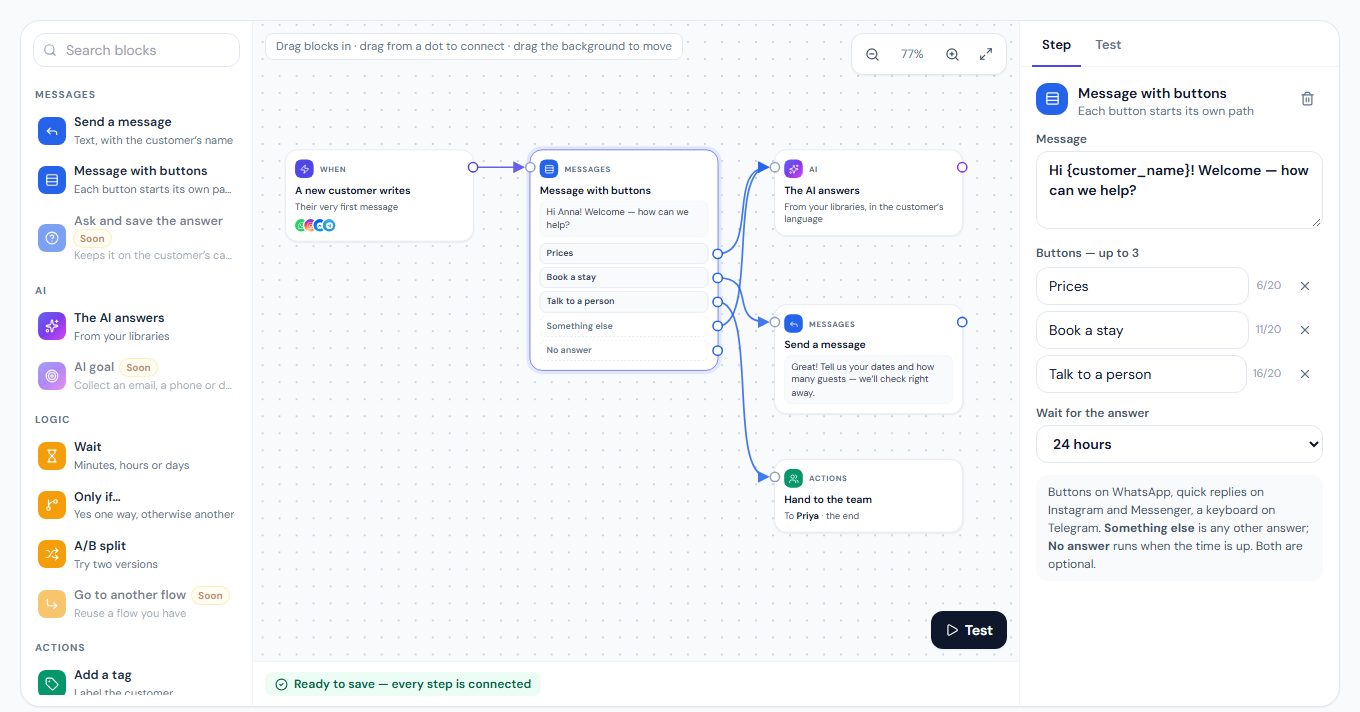
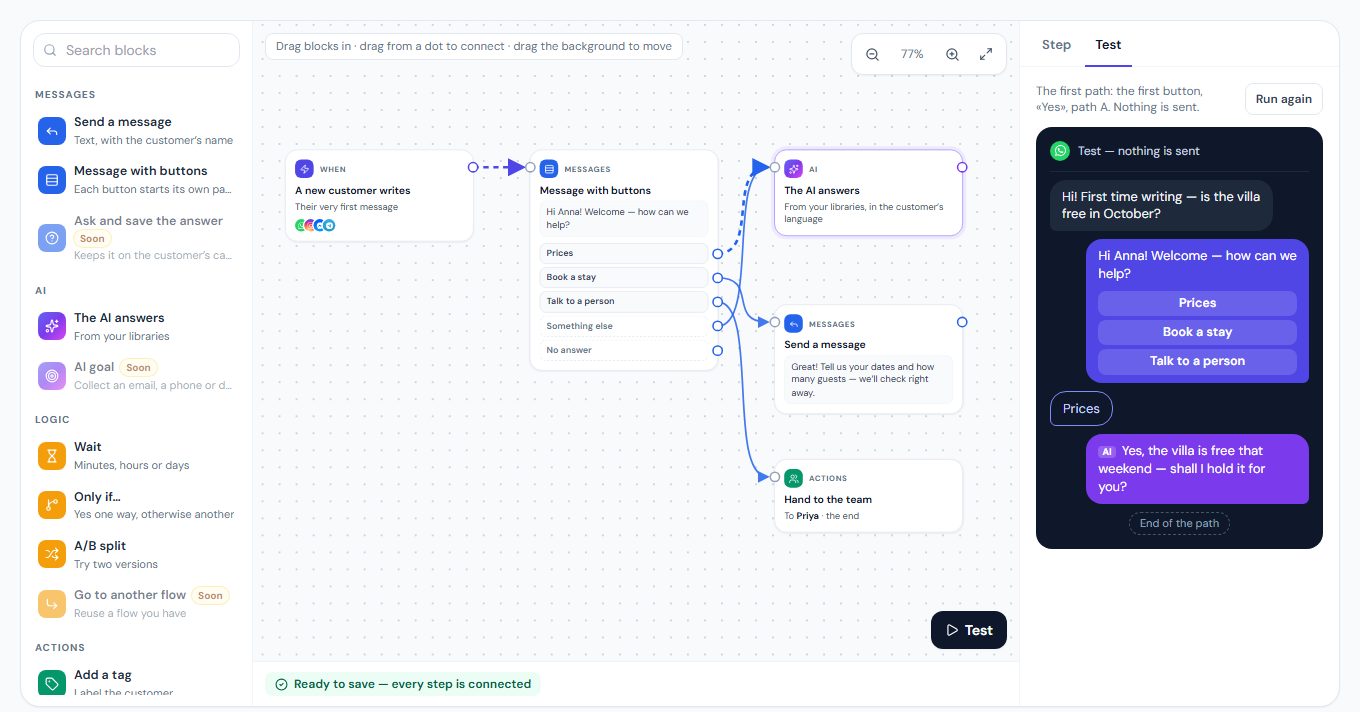
- Visual builder: drag steps in, connect them, branch
- Buttons the customer taps — each starts its own path
- Send a WhatsApp form, then «When it is answered» or «No answer» — each with its own path
- Only if… with Otherwise, and an A/B split
- Ready-made flows to start from
What does the automation builder look like?
Where do I build an automation?
Menu › Automation · Automations and WhatsApp forms
Which plans include automations?
Every automation is in every paid plan: one step or several, the short form or the visual builder, comment → DM and automations on TikTok comments. See pricing.
Automations: frequently asked questions
Can an automation answer comments with a DM?
Yes, on Instagram and on Facebook Pages: pick «Someone comments on a post», choose the words and the posts, then reply under the comment and send one DM.
Does it work on TikTok comments?
Yes. On TikTok videos an automation replies under the comment, likes it or hides it — by word and by video. A DM from a TikTok comment comes with TikTok messages — coming soon.
Can I draw an automation instead of filling in a form?
Yes. Press Visual at the top of the editor: drag steps onto a canvas, connect them, and give each button its own path. The form and the canvas save the same automation.
Can one automation listen for several words?
Yes. Under «A message contains…» type each word your customers use for the same thing — booking, reserve, reservation — up to 20. Any one of them starts it, at the start of a word: «book» finds «Booking» and «#book», never «Facebook». Case and accents do not matter.
Can an automation send a WhatsApp form?
Yes, on the visual builder: «Send a WhatsApp form» sends one of your published forms from its own WhatsApp number, inside the 24-hour window, then waits. «When it is answered» carries on once the customer sends it; «No answer» runs after the time you choose, from 1 to 24 hours.
What is the difference between an automation and a campaign?
An automation answers one event, one client at a time. A campaign sends one message to many customers at once.
Can an automation wait before the next step?
Yes. Choose «Several steps»: wait up to seven days, then reply, let the AI answer, check a condition or hand the conversation to a teammate. It stops by itself when the client writes again, a person takes over or the conversation is closed.
What happens more than 24 hours after the client wrote?
WhatsApp allows only an approved template then, and the automation offers yours; Instagram and Messenger allow no message, so the automation stops there. Telegram has no such window.
How to build an automation, step by step
Automation guides and use cases
AI DM Replies for Creators — Let AI answer Instagram, WhatsApp, Messenger and Telegram DMs from your links, prices and FAQs — on its own or as drafts you approve, in your fans’ language.
Try Automations free for 14 days
No credit card, then Free. Connect one channel and invite one colleague.
Checked against the live product on 8 October 2026. What each connected account can do is shown on the Channels screen of your workspace.