In short
Ask people to comment a word — PRICE, BOOK, INFO. Each one who does gets a reply under the comment and one DM with a link of their own, so you see who tapped it, who wrote back and what it brought.
Four steps
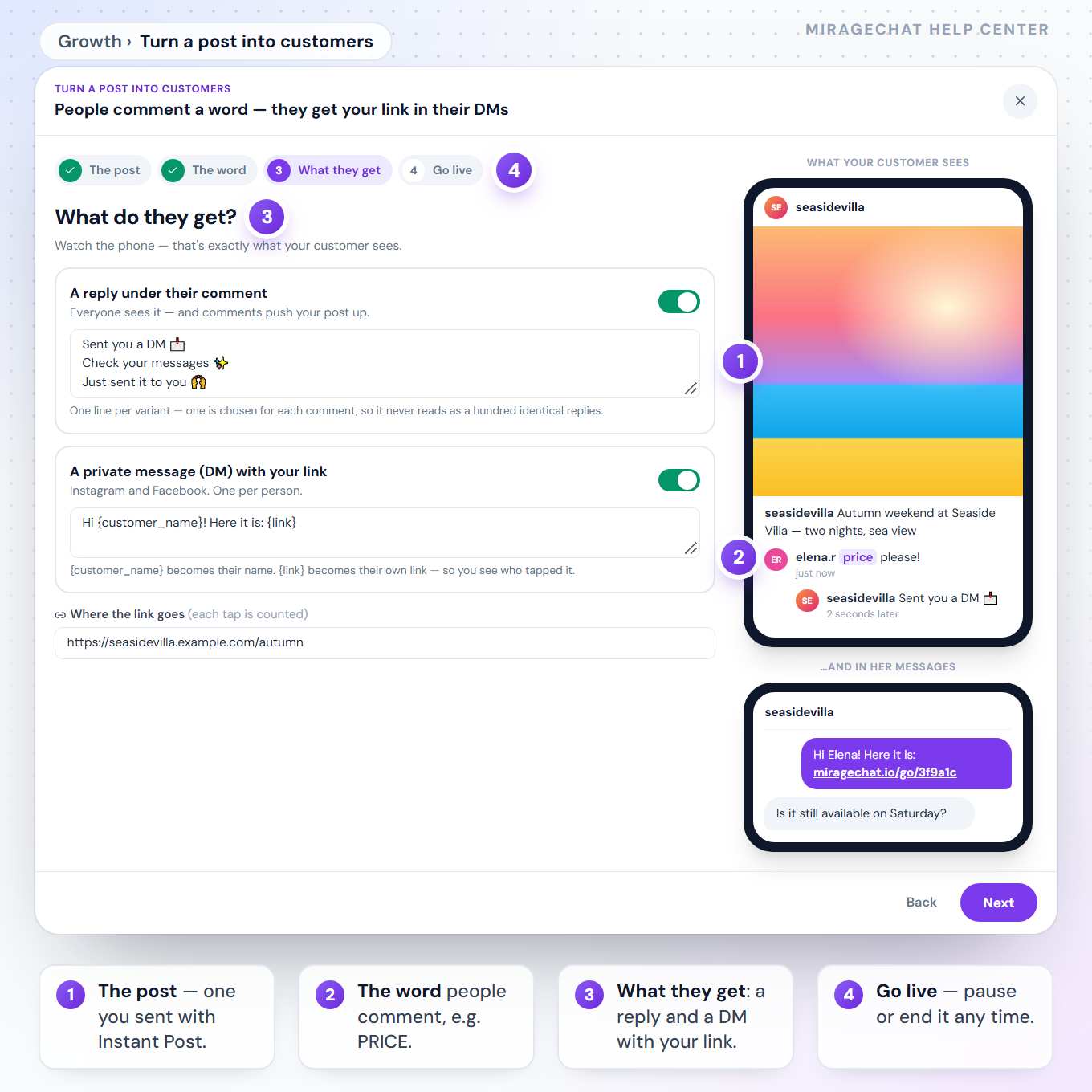
In Growth, press Turn a post into customers. The Instagram preview beside the steps plays a comment, your reply under it and the DM with the link.
The post
Choose a post you published with Instant Post in the last 60 days — on Instagram, Facebook or TikTok.
The word
Type the word people comment, for example
PRICE, or leave it empty to answer every comment. Capital letters do not matter. A ready line for your caption is there to copy: «Comment PRICE and we’ll send you the offer».What they get
A reply under their comment — several lines, one chosen for each comment — and a private message (DM) with your link. Each can be switched on or off.
Go live
One sentence says what happens next. Name the campaign and press Go live; you can pause or end it at any time.
What the report shows
- Comments caught, got the DM, tapped the link, wrote back within 7 days, and failed, with the reason.
- Brought: sales your team marked as «Won» in a chat this campaign started.
- The people, each with a link to their chat.
Instagram, Facebook and TikTok
- Instagram and Facebook Pages: a reply under the comment and one DM with the link.
- TikTok: a reply under the comment, carrying the link.
- Once per person on each post — someone who comments again is not messaged twice.
- The DM opens a conversation in your Inbox, where your team and the AI carry on.
Is this the same as Comment → DM in Automation?
It is built on the same rule, with a report and a link of their own for every person. The automation keeps running in Automation, and ending the campaign ends it too.
What if the post is not published yet?
A post that has not gone out anywhere matches no comment, so nothing is sent until it is live.
Ready?
Opens MirageCHAT in this tab. Sign in first if you’re not already.
Did this guide help?
Related guides
Still stuck? Write to info@miragechat.io with your workspace name. Never send passwords or codes.