In short
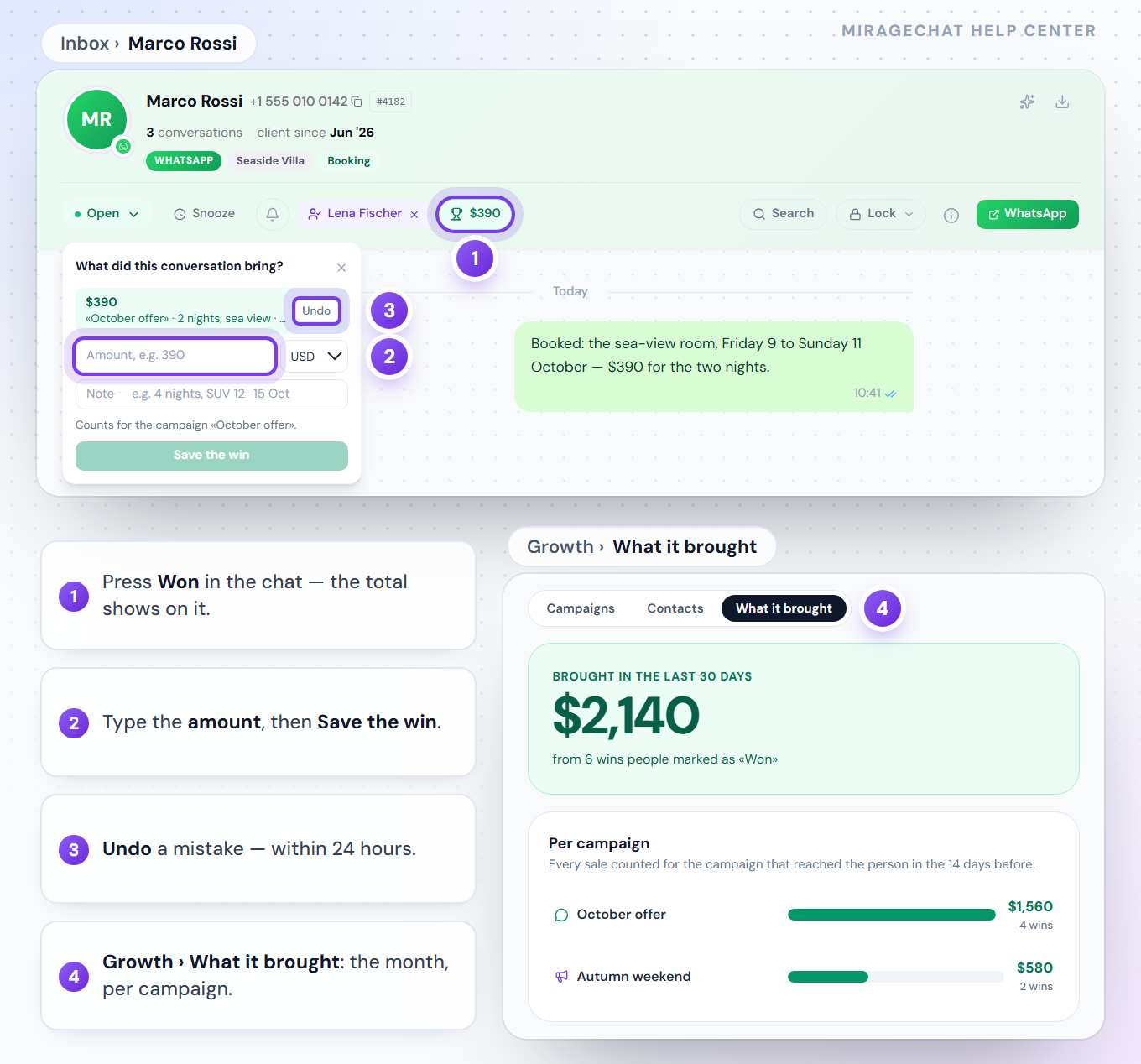
When a chat ends in a sale, press Won and enter the amount. Growth adds it to the campaign or post that started it, so What it brought shows the money each one made this month.
Mark a sale
Press Won in the chat
In the conversation, press Won — on the web it is on the bar above the chat, in the phone app in the conversation’s menu.
Enter the amount
Type what the customer paid; a note is optional. The total shows on the button.
Undo if it was a mistake
Whoever marked it can undo it within 24 hours; the owner can at any time. An undone sale is never counted.
How a sale counts
- WhatsApp offers: the sale goes to the campaign that reached that number in the 14 days before.
- Post campaigns: the sale goes to the campaign whose DM started the conversation, or that reached that person on that channel, in the 14 days before.
- Your currency: sales are counted in your workspace’s currency, and each one keeps the currency of its day. Different currencies are shown side by side, never added.
- Meta’s charges stay in Meta’s own currency and are never subtracted from what you earned.
Where to see it
In Growth, open What it brought: the month’s total, then one bar per campaign, the biggest first. Every campaign’s report shows its own Brought, and the same numbers are in the phone app.
Ready?
Opens MirageCHAT in this tab. Sign in first if you’re not already.
Did this guide help?
Related guides
Still stuck? Write to info@miragechat.io with your workspace name. Never send passwords or codes.