In short
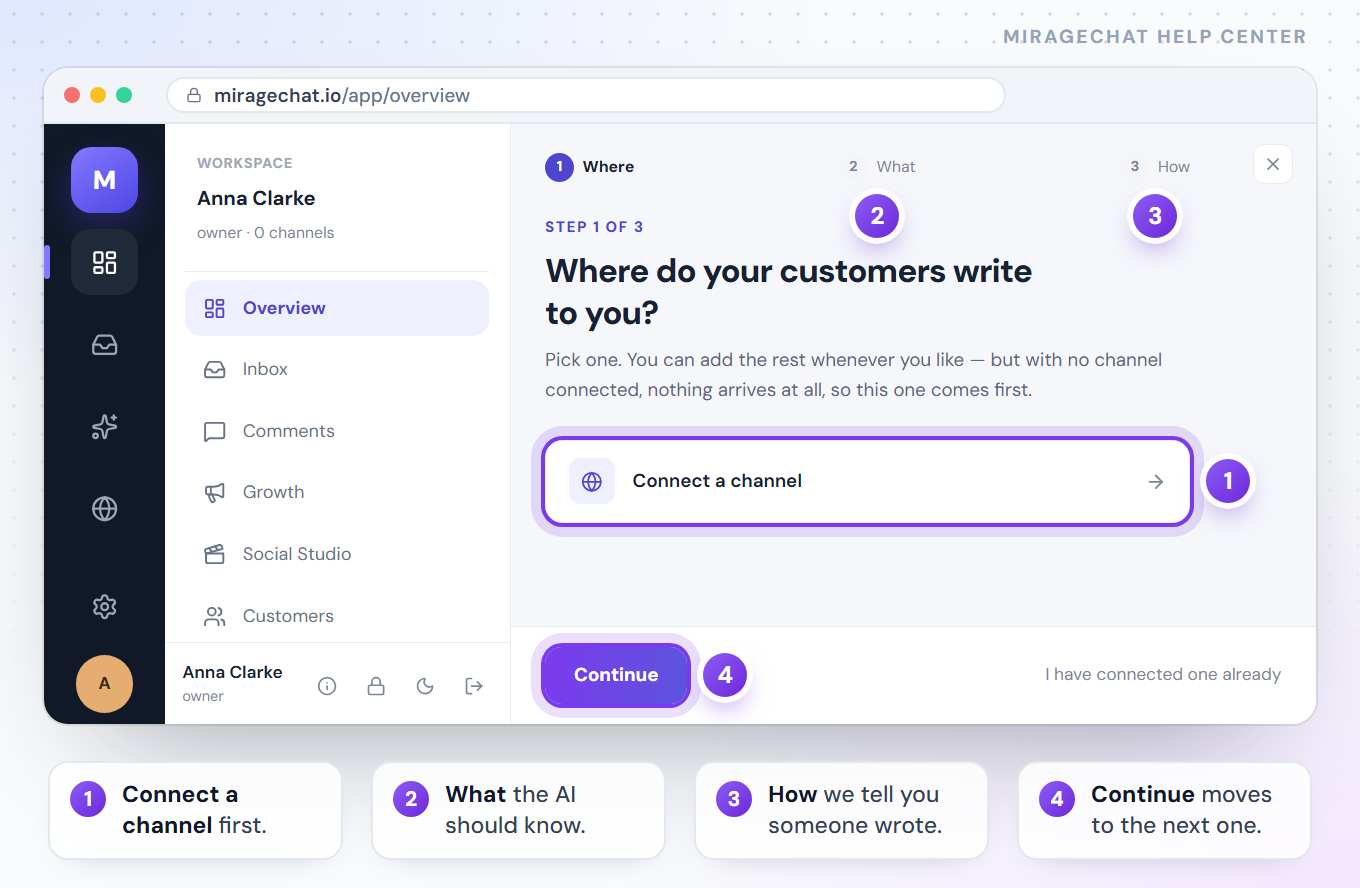
Five things, in this order: create your workspace, connect one channel, tell the AI what to know, turn notifications on, and invite a colleague. The Overview page asks you the middle three, one at a time.
Before you start
- An email address, or a Google, Apple or Facebook account to sign in with.
- Your business address and phone number — the sign-up form asks for them.
- Access to the place your customers write to you: your WhatsApp Business app, your Instagram account, your Facebook Page, your Telegram or your website.
Steps
Create your workspace
On miragechat.io, press Start free trial. The trial lasts 14 days and needs no card; after it, the workspace stays on Free — 2 accounts, the inbox and Instant Post — unless you choose a plan.
Connect your first channel
The Overview asks “Where do your customers write to you?” Pick one and press Connect a channel. With no channel connected nothing arrives at all, so this one comes first. Guides: WhatsApp · Instagram · Facebook Page · Telegram · SMS · your website.
Tell the AI what to know
Next: “What should the AI know?” Write your prices, hours and rules once — or paste your website address and it reads them itself. Press Write it, or paste a link.
Turn notifications on
Then: “How should we tell you someone wrote?” Choose this browser, your phone, or both, so the first message doesn’t sit unread.
Invite a colleague and open the Inbox
Add the people who answer with you — how — then press Open the Inbox. New messages from every connected channel land there.
You can do the rest later — more channels, quick replies, automations. The first hour is about getting the first message answered.
Ready?
Opens MirageCHAT in this tab. Sign in first if you’re not already.
Did this guide help?
Related guides
Still stuck? Write to info@miragechat.io with your workspace name. Never send passwords or codes.