In short
Telegram connects through a bot you create in Telegram in about a minute. Your customers open your bot, press Start, and every message lands in your MirageCHAT inbox — where your team and the AI can answer.
Before you start
- Telegram on your phone or computer.
- About 3 minutes.
Steps
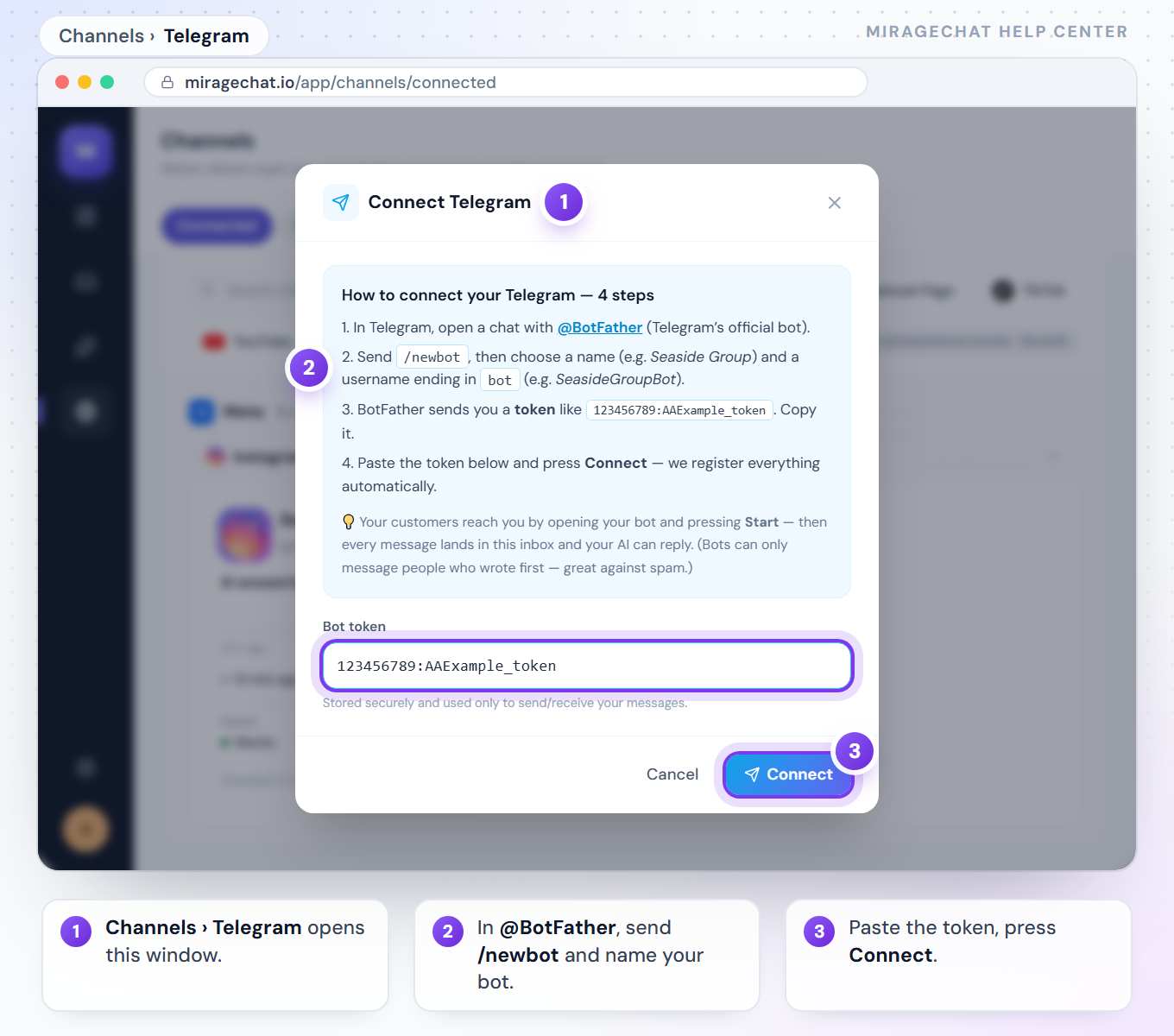
Open Channels and press Telegram
In MirageCHAT, go to
Channelsand press Telegram. A window with a box for the bot token opens — leave it open.Open @BotFather in Telegram
In Telegram, open a chat with @BotFather — Telegram’s official bot for creating bots.
Create your bot
Send /newbot, then choose a name (for example Seaside Group) and a username that ends in bot (for example SeasideGroupBot).
Copy the token
BotFather sends you a token that looks like
123456789:AAExample_token. Copy it.Paste it and press Connect
Back in MirageCHAT, paste the token and press Connect. We register everything automatically.
Good to know
- Bots can only message people who wrote to them first — that keeps spam out.
- The token is stored securely and used only to send and receive your messages.
- Share your bot’s link —
t.me/YourBotName— on your website and social profiles so customers can find it.
Ready?
Opens MirageCHAT in this tab. Sign in first if you’re not already.
Did this guide help?
Related guides
Still stuck? Write to info@miragechat.io with your workspace name. Never send passwords or codes.