In short
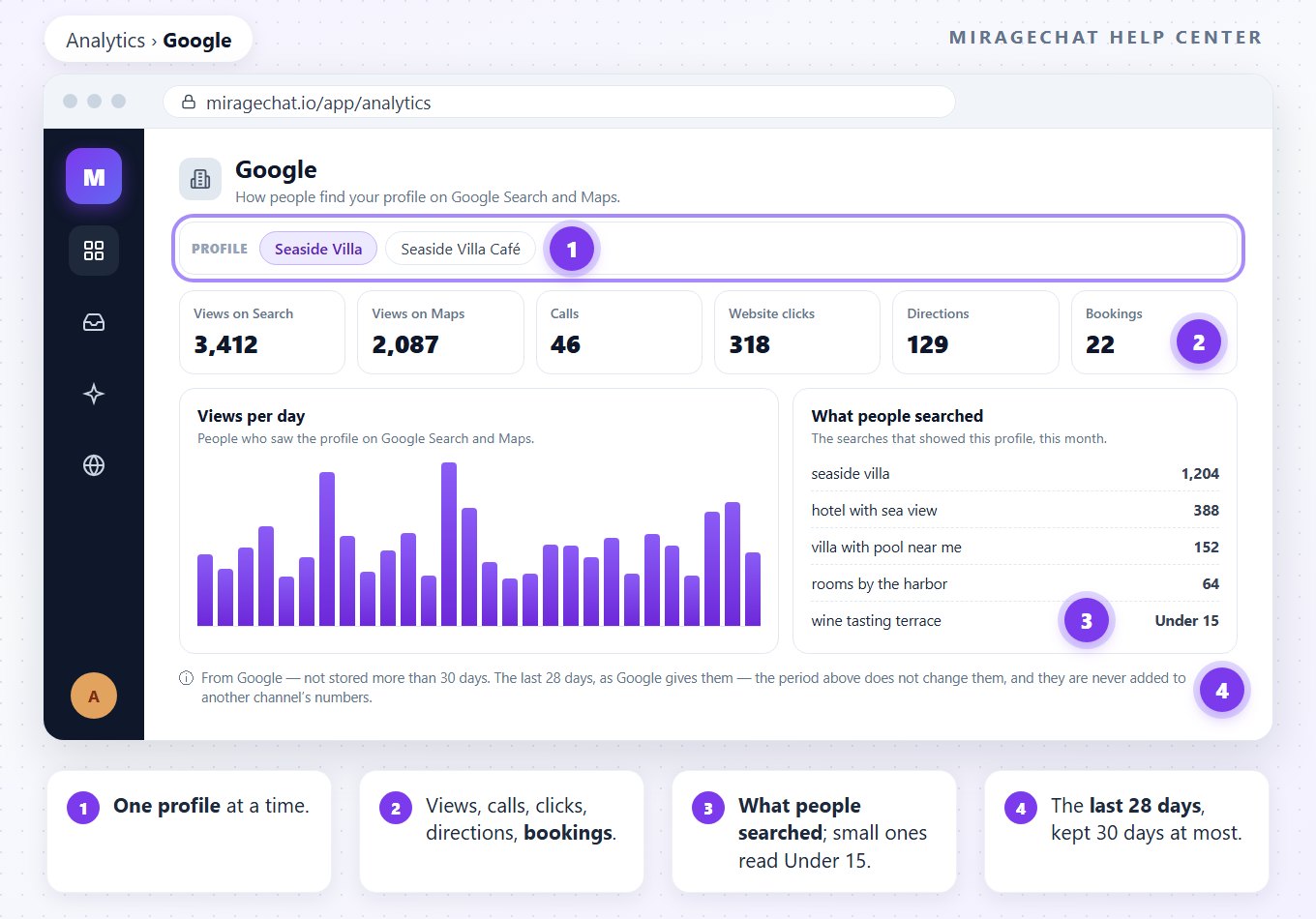
Coming soon. Google opens in MirageCHAT soon. Then Analytics › Google shows one profile at a time, over the last 28 days: views, calls, website clicks, directions, bookings — and what people searched.
Coming soon. Google opens in MirageCHAT soon. The rest of Analytics works today: Read your analytics.
Before you start
- A Google Business Profile connected — Connect Google.
Steps
Open Google
Go to
Analyticsand open Google.Pick the profile
With more than one profile, choose it under Profile. The numbers are for one profile at a time.
Read the tiles
Views on Search, Views on Maps, Calls, Website clicks, Directions and Bookings, for the last 28 days.
Read the days and the searches
Views per day and Actions per day, then What people searched: the searches that showed your profile. A small number reads Under 15.
Good to know
- The last 28 days, as Google gives them. The period at the top of Analytics doesn’t change them, and they are never added to another channel’s numbers.
- From Google — not stored more than 30 days.
- One profile at a time: with several, switch between them under Profile.
- Under 15: Google hides small numbers, so a rare search shows a range instead of a count.
If something looks wrong
When will I see Google here?
Google opens in MirageCHAT soon. Then it appears in Analytics once a profile is connected.
“No Google profile is connected.”
Connect one in Channels — Connect Google.
Why can’t I choose another period?
Google’s numbers are always the last 28 days, and MirageCHAT keeps them no longer than 30 days.
Did this guide help?
Related guides
Still stuck? Write to info@miragechat.io with your workspace name. Never send passwords or codes.