In short
Most WhatsApp sign-ups that stop do so for one of seven reasons. Find yours below — each has one fix.
The seven reasons
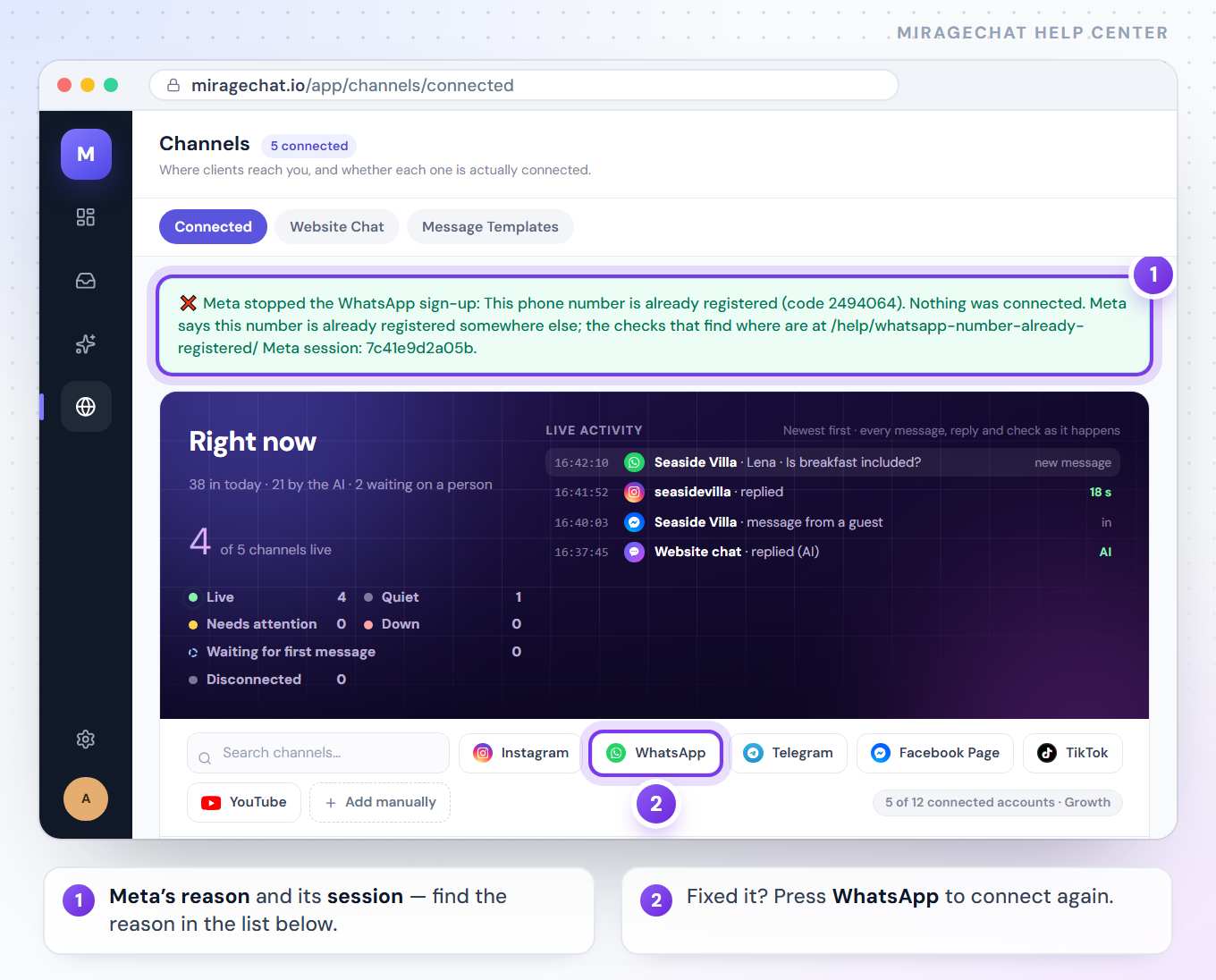
“This phone number is already registered”
Meta shows it when the number is still held somewhere else — most often by another business portfolio, sometimes by a platform you used before. Meta doesn’t say where; four checks find it, and the first one usually does.
“This number is already on WhatsApp”
For a dedicated number, delete the account from the WhatsApp app on that phone first, then try again. Want to keep using the app? Choose Stays on the phone instead.
The number is connected to another service
Meta is moving WhatsApp accounts to a model where one number can work with several platforms (through the second half of 2026). Until yours has moved, a number connects to one platform at a time: disconnect it there first. If it stays on your phone: at business.facebook.com open Settings › WhatsApp accounts, choose the app account, open Partners and press Remove access. Then on your phone: WhatsApp Business, Settings › Account › Business platform, tap the old partner and press Disconnect. Allow a few minutes, then connect again. Moving from ManyChat, WATI or similar? The full move
I can’t choose my business portfolio
You need full control of it. Ask its admin to give it to you (Settings › People), or create your own portfolio.
My display name was rejected
Change it in WhatsApp Manager to the name your business really uses. How
Meta’s window closed before the end
Nothing was connected, so nothing needs undoing. Press WhatsApp under Channels again. If Meta gave a reason, MirageCHAT shows it on the Channels page.
The app says my version is too old
Update WhatsApp Business to 2.24.17 or newer, then start again.
Still stuck?
Write to info@miragechat.io with your workspace name, the phone number, and the message Meta showed — including its Session ID if there is one. Never send passwords or codes.
Ready?
Opens MirageCHAT in this tab. Sign in first if you’re not already.
Did this guide help?
Related guides
Still stuck? Write to info@miragechat.io with your workspace name. Never send passwords or codes.