In short
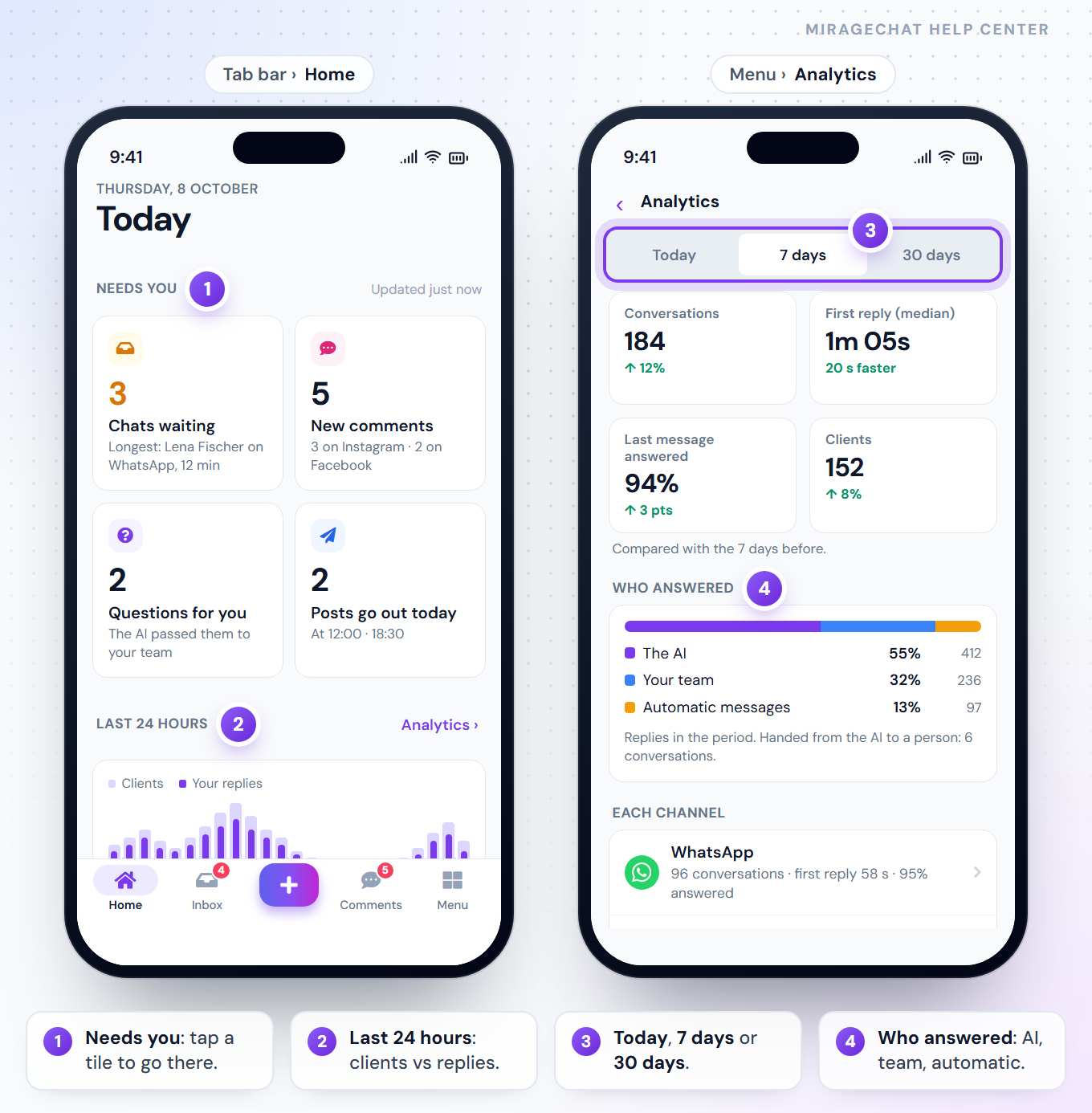
The app opens on Home: Today, with what needs you first. Menu › Analytics shows how fast your team answers and who answered.
1. Home: Today
| Part | What it shows |
|---|---|
| Needs you | Up to four tiles, such as Chats waiting (and the longest wait), New comments, Questions for you and Posts go out today — or, for someone who only answers, Reminders due and Unread messages. Tap a tile to open that exact place. |
| Last 24 hours | Messages from Clients against Your replies, and the last 7 days’ First reply, Within 5 min and AI answered first. |
| Shortcuts | Instant Post, Clients, New automation, Channels. |
| Live | What is happening now, or how long it has been quiet. |
What you see follows your access: someone who only answers gets a calmer Home, without Last 24 hours and Live.
2. Analytics
Open it
Go to
Menu › Analytics— or Analytics › on Home.Pick a period
Today, 7 days or 30 days.
Read it
Conversations, First reply (median), Last message answered and Clients, against the period before; Who answered — The AI, Your team or Automatic messages; Each channel; and Waiting now.
On a package with channel analytics, tap a channel for its own page — profile, posts and, for YouTube, its numbers.
Good to know
- An agent sees their own channels: “Your channels only — the ones shared with you.”
- The same numbers as on the web — Overview · Analytics.
If something looks wrong
“Today could not be loaded”
Press Try again, or Open Inbox to keep working.
There is no Analytics
Your access doesn’t include it. An owner or admin can change it.
Ready?
Opens MirageCHAT in this tab. Sign in first if you’re not already.
Did this guide help?
Related guides
Still stuck? Write to info@miragechat.io with your workspace name. Never send passwords or codes.